04 / Blog · 10.09.2026
Staging Is a Recovery Test, Not a Copy of Production
A robust staging environment is not created simply by adding another server. It proves that code, configuration, data and files can be restored in a controlled manner – without bringing along production access, real notifications or unnoticed copies of personal data.
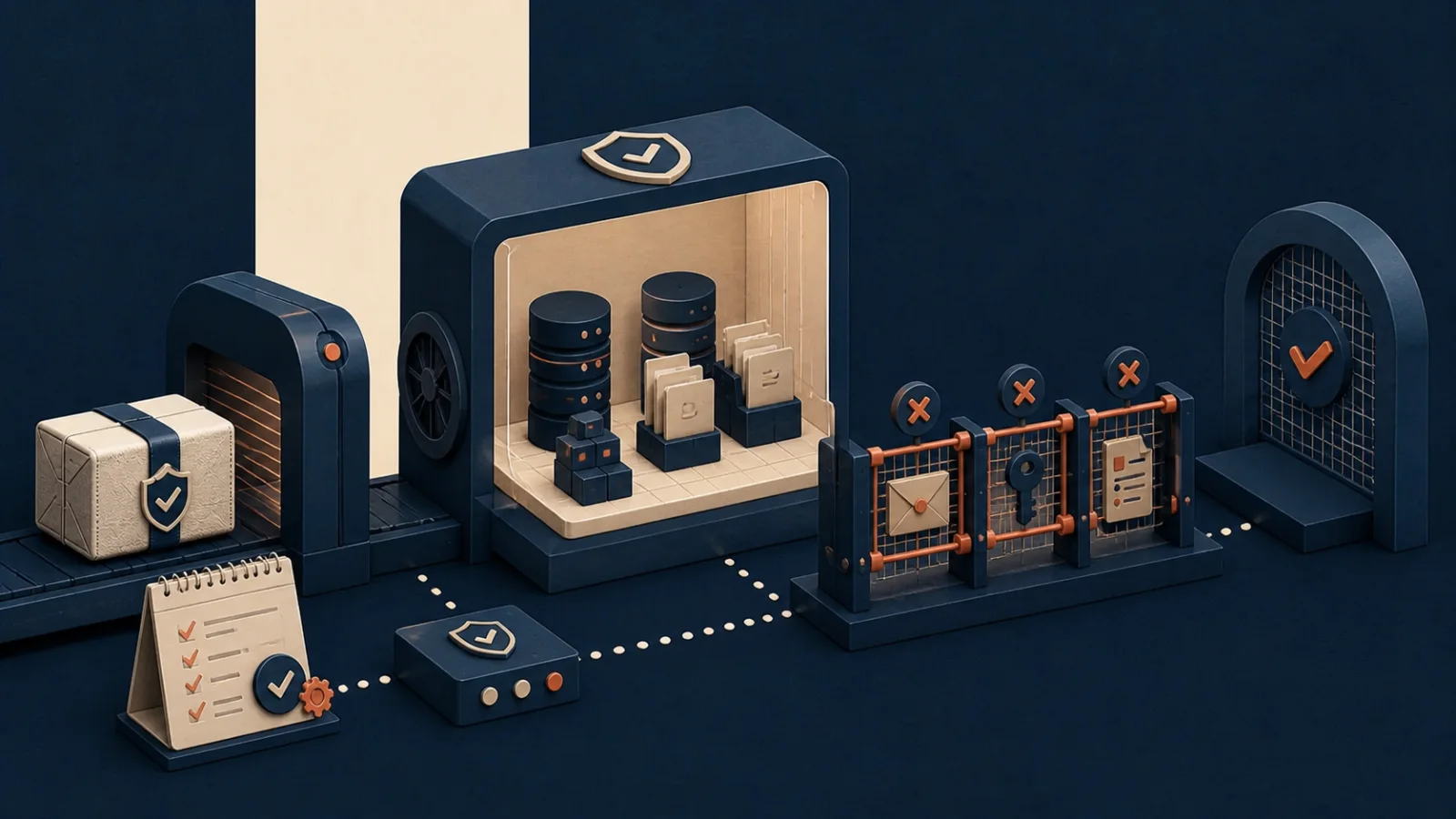
A green staging environment can provide false assurance
The staging website is accessible, the backend opens and some pages look plausible. The pre-production environment therefore appears to be fulfilling its purpose. Yet this observation proves surprisingly little.
Perhaps the database was imported manually months ago. Perhaps private files are missing while their FAL references still exist. Perhaps the environment uses different PHP extensions from production. Emails may work only because nobody has noticed that they are still being sent to real recipients.
A robust staging environment should therefore not be understood as a long-lived copy of production. Its real value lies in a repeatable process:
Select artefacts
→ build an isolated environment
→ restore data
→ transform data and configuration
→ start the application
→ verify business properties
→ release the environment in a controlled manner
This turns staging into a recovery test. It answers not only whether a new build runs, but also whether backups are usable, environment boundaries are effective and operational assumptions can be automated.
A backup is initially only a promise
A successful backup message means that a process has written files. It does not yet indicate whether all required components are included, mutually consistent, decryptable and usable with the current application.
For a TYPO3 application, at least these artefacts may be relevant:
| Component | Examples | Typical risk | |---|---|---| | Application | Composer lock file, extensions, frontend build | dependencies can no longer be reproduced | | Configuration | Site configuration, TypoScript, services | environment settings are missing or confused | | Database | content, users, extension tables | dump is incomplete or incompatible | | File storage | public and private uploads | database reference points to a missing file | | Keys | backup, media or application keys | data exists but cannot be decrypted | | External state | search index, object storage, queues | derived data does not match the restored state | | Operational knowledge | sequence, access, approvals | restore depends on individuals' memories |
The TYPO3 security documentation explicitly recommends regularly testing backups for completeness and recoverability. It also warns against storing backups in the web root and notes that several versions from different points in time may be necessary: a current backup may already contain manipulated configuration or corrupted data. (TYPO3: Backups and recovery)
The restore test should therefore not always use only ‘the latest backup’. A realistic test plan also includes older restore points and documents which application version belongs to each one.
Recovery requires a manifest
If the database, files and code are backed up separately, the recovery process needs a common reference point. A small manifest is sufficient for this purpose:
{
  "backupId": "2026-08-19T020000Z",
  "applicationRevision": "8c31f2a",
  "database": {
    "artifact": "database.sql.zst",
    "sha256": "..."
  },
  "files": {
    "artifact": "uploads.tar.zst",
    "sha256": "..."
  },
  "schemaVersion": 17,
  "createdAt": "2026-08-19T02:00:00Z"
}
The manifest should not contain credentials. It merely links artefacts, versions and checksums. This allows the restore to stop early if a component is missing or damaged.
Proximity in time alone does not ensure consistency. A database dump from 02:00 and a file snapshot from 02:30 may be inconsistent in functional terms. Depending on the application, a defined snapshot strategy, a brief write freeze or a subsequent consistency check is therefore required.
It is important to describe the result honestly:
archived  → artefact was stored
verified  → checksum and readability were checked
restored  → artefacts were imported into an environment
accepted  → application and defined business paths were successfully tested
Only the final stage demonstrates that the stored components can once again produce a usable system.
Production parity concerns structure, not unrestricted sharing
Staging should reproduce relevant properties of production: runtime versions, database system, cache, routing, file storage, queue behaviour and security middleware. This does not mean that the same accounts, keys and personal data should be carried over.
A more appropriate distinction is:
- identical or compatible: software versions, containers, database schema, deployment sequence and business rules;
- deliberately different: domains, credentials, recipients, external accounts, retention periods and scaling;
- transformed or replaced: personal content, private media, sessions, tokens and outgoing jobs.
The TYPO3 documentation on environment stages describes separate configurations for development, staging and production. Environment-dependent values such as database access, mail transport or external services can be included through environment variables or separate configuration files; genuine secrets do not belong in the version control system. (TYPO3: Configuring environments)
A staging system should consequently have its own technical identities:
- its own database user,
- its own SMTP or mail-capture configuration,
- its own API keys or disabled adapters,
- its own storage access,
- its own OAuth clients and callback URLs,
- its own signing and session keys.
OWASP identifies the reuse of non-human identities across test and production as a specific risk. A compromised staging environment must not be able to access production resources through shared keys. (OWASP: Environment Isolation)
Data sanitisation is a pipeline, not search and replace
A production dump contains more than obvious fields such as names and email addresses. Personal or confidential information may also occur in free text, logs, file metadata, search indexes, job payloads, audit records and extension-specific tables.
Robust sanitisation therefore begins with a table- and field-specific policy:
tables:
  fe_users:
    action: replace
    fields:
      email: deterministic_email
      name: synthetic_name
      password: invalidate
  be_sessions:
    action: truncate
  sys_log:
    action: truncate
  tx_app_message:
    action: synthetic_fixture
Deterministic replacement values are useful when relationships or duplicate tests need to be preserved. Within a restore run, the same input produces the same replacement value. The secret transformation key must not reside in staging and should not allow values to be reverse-engineered.
Pseudonymised data does not automatically become harmless, however. If additional information makes attribution possible, the transformed data also requires appropriate safeguards. For many tests, fully synthetic fixtures or deliberately reduced datasets are therefore the better choice.
The current TYPO3 documentation recommends not copying personal data into non-production systems without filtering, excluding sensitive tables and anonymising or pseudonymising content. Among other things, it identifies user, session and log tables as candidates for reduced dumps. (TYPO3: Synchronizing database content)
The transformation itself needs tests. A simple negative scan can, for example, search for known production domains, email patterns, telephone numbers or markers deliberately inserted into the source dataset. The successful execution of a sanitisation script does not prove that every relevant table was covered.
Files are part of the same contract
In TYPO3, the database and uploads cannot be considered independently of one another. FAL links physical files, metadata, usages and processed variants across multiple tables and storage locations.
A restore can therefore pursue different strategies:
- Approved public media are transferred consistently.
- Private uploads or those containing personal data are removed or replaced with fixtures.
- Processed files are omitted and regenerated after the restore.
- Associated database records are cleaned up to match the chosen strategy.
The TYPO3 documentation notes that processed files and sys_file_processedfile must match. If the derivatives are not copied, the table can be emptied so that TYPO3 regenerates them as needed. It also recommends checking user-managed files for personal or sensitive content and using reduced or artificial file sets where appropriate. (TYPO3: Synchronizing user-uploaded files)
This reveals an often-overlooked mistake: anonymising only the filenames is not enough. A photograph, PDF or audio document may itself contain sensitive content. Where reliable content sanitisation is not possible, exclusion is usually safer than transformation.
Outgoing effects must be blocked by default
A newly restored environment must not immediately operate as though it were production. Database tables may contain pending emails, webhooks, push notifications or AI jobs. Schedulers and workers could pick up these jobs immediately after startup.
The restore should therefore initially run in a quarantine phase:
Network access restricted
Schedulers stopped
Queue workers stopped
Mail redirected
Webhooks disabled
External adapters simulated or blocked
Public routes not yet released
Only then are data transformed and outgoing jobs removed or explicitly converted into harmless test cases. Merely changing the mail transport configuration is not enough if other channels such as SMS, push, social publishing or direct provider APIs exist.
A combination of several boundaries is particularly robust:
- The application configuration uses test adapters.
- Network rules prevent connections to production endpoints.
- Staging credentials have no permissions there anyway.
- A release test verifies that known production hosts are neither reachable nor configured.
This means that security does not depend on a single Boolean being set correctly.
‘Container is running’ is not an acceptance criterion
After data import and transformation, services must start in the correct order. ‘Process has started’ does not mean ‘service is ready’.
The Docker documentation distinguishes precisely between these states: without additional configuration, Compose waits only until a container is running. With health checks and service_healthy, however, a dependent service can wait until, for example, the database is actually accepting requests. (Docker: Control startup order)
A technical health check should nevertheless remain small. It does not prove the system's complete functional state. Staging release requires a tiered set of checks:
Technical readiness
- The database and cache are accessible.
- The schema and migrations are up to date.
- Writable directories have appropriate permissions.
- Required keys can be loaded.
- Workers and schedulers are deliberately active or inactive.
Structural consistency
- Core FAL references point to existing or deliberately replaced files;
- required configurations and sites are present;
- no production domain is active as the canonical staging URL;
- old sessions and access tokens are invalid;
- queue states comply with the staging policy.
Business smoke tests
- sign in with a dedicated test account;
- access a representative page and API;
- perform a controlled file retrieval;
- execute a harmless background job;
- send a message exclusively to the test recipient;
- create and subsequently remove a test object.
These checks should target expected properties, rather than merely collecting 200 status codes.
A restore must fail reproducibly
The most valuable restore test is not always the successful one. Controlled failures show whether the process is understandable and resumable:
- What happens if an archive file is missing?
- Is an incorrect checksum detected before import?
- Does the process stop if data sanitisation finds an unknown sensitive table?
- Do workers remain disabled if a smoke test fails?
- Can the process be safely restarted after an interruption?
- Is an incompatible application version reported clearly?
A restore run should have its own ID and a persistent log. This log contains steps, artefact versions and sanitised error codes, but no copied records or secrets.
created
→ artifacts_verified
→ infrastructure_ready
→ data_restored
→ data_transformed
→ services_started
→ acceptance_passed
→ released
Each transition should have a clear precondition. For example, released must be reachable only if transformation and acceptance tests belong to the same restore run. This prevents an old green test from accidentally releasing a newer, faulty import.
Staging can be ephemeral
A staging database maintained over many years accumulates its own special cases: manual corrections, outdated accounts, test files and configuration that could never be recreated from a backup. The longer the environment lives, the less it demonstrates the repeatability of the process.
Regular rebuilding is therefore a mark of quality. It does not have to happen for every commit. Depending on the risk, a sensible schedule may be:
- a lightweight build with synthetic fixtures in every pipeline;
- a nightly or weekly restore of a sanitised backup;
- a full recovery exercise before major releases;
- an additional manual exercise after changes to storage, encryption or infrastructure.
Once the defined lifetime expires, the environment is removed again. Staging data, temporary keys, logs and exported artefacts must therefore also be covered by a dedicated deletion and retention policy.
Vera as a concrete implementation
According to the project information provided, the separate staging instance of Vera is built from sanitised production backups. Outgoing emails are redirected there and push notifications are disabled. Backups, recovery scripts, health checks and background-job hygiene are described as components of the project.
This is a concrete property of this project. It neither supports a general statement about legal compliance nor proves that every conceivable failure path has already been tested.
The transferable architectural idea is narrower: a personal application using TYPO3, private media, Redis, a separate memory service and asynchronous AI workers cannot treat staging as an isolated CMS copy. The recovery contract must also cover derived stores, pending work and communication channels.
For other projects, the scope may be smaller or distributed differently. The testing principle remains the same: every component that is required for a successful restore or can produce external effects after startup must be explicitly included in the process.
A practical acceptance checklist
Before a restored staging environment is released, it should be possible to answer these questions:
- Are the application version, database and files linked through a common manifest?
- Were the integrity and decryptability of the artefacts checked before import?
- Does staging have completely separate accounts, keys and technical identities?
- Can the environment access production resources?
- Which tables, fields and files are removed, replaced or pseudonymised?
- Does a test check whether known sensitive patterns remain after transformation?
- Are FAL records, original files and processed files consistent?
- Have sessions, tokens and pending production jobs been invalidated?
- Do schedulers and workers remain stopped until controlled release?
- Are email, push, webhooks and other outgoing channels secured separately?
- Do health checks verify actual readiness rather than merely running processes?
- Do business smoke tests demonstrate reading, writing, background processing and clean-up?
- Can an interrupted restore be safely restarted?
- Is the environment regularly rebuilt from scratch?
- Is there a limited retention period for staging data and restore logs?
Recoverability is a system property
Staging is most valuable when it offers more than a preview of the next release. As an automated recovery test, it combines backup, deployment, data protection and operations in a verifiable process.
This exposes inconvenient dependencies early: the undocumented key, the manually copied file, the worker with production access or the database table unknown to any sanitisation script. These are precisely the insights that make the environment useful.
The decisive measure of quality is therefore not: ‘Does staging look like production?’ It is: ‘Can the system be recreated from known artefacts in a controlled manner without losing the boundaries separating it from production?’